
In Teams Admin Center under Voice > Phone Numbers, you’re presenting with a table of your numbers and various bits of information about them, like who (or what) the number is assigned to. You also are shown the Type of service, License usages, and Available usages.
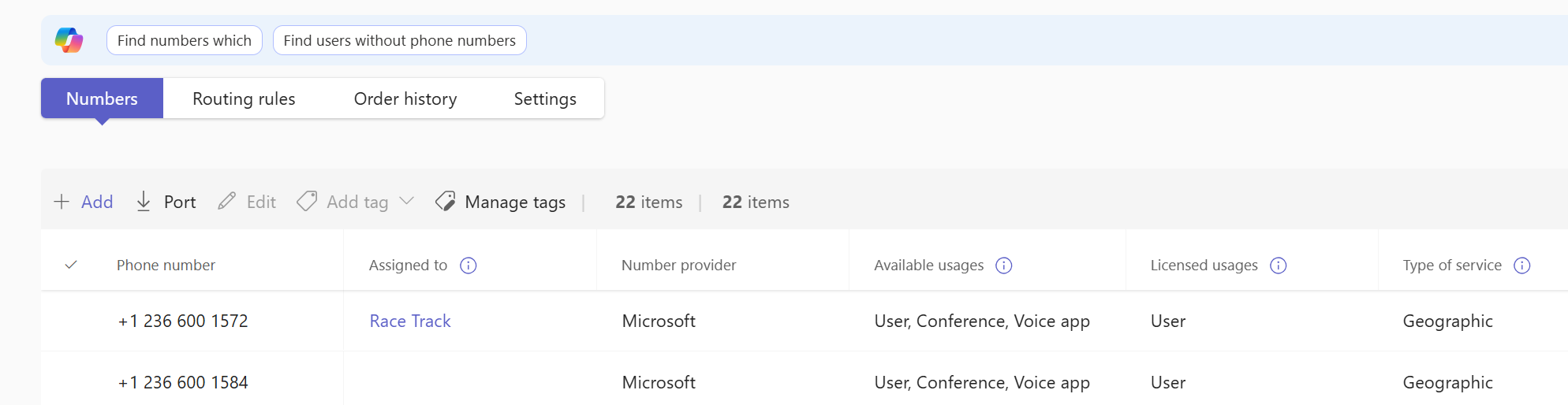
Type of service is Geographic for “regular” phone numbers. The other common type you’ll see here is toll free.
Available usages shows what that number can be used for within Teams. Options are typically user, conference, and voice app. User is your users, common area phones, SIP gateway devices like paging systems and things like MTR phone numbers. Voice app is typically a resource account for Teams auto attendants and call queues, or for 3rd party voice apps like contact center offerings from Landis, or a customer voice app/bot that you’ve developed. Conference is for dial-in conferencing. While Teams does provide shared dialin numbers for conferencing, some organizations want to use an existing vanity number, or want a number in a location that Microsoft doesn’t provide a number in.
After a port-in of numbers from another carrier, the numbers are set to User for the licensed usage. They are unable to be assigned to a resource account as those are a voice app. That’s not a problem, it’s a simple matter to change. First, select the number – sorry, just one at a time! – and then click the “Change usage” button:

Over on the right you’ll get a fly out with a drop-down. The drop-down has the usages that you can change the number to. Pick what you’re after and you are done!
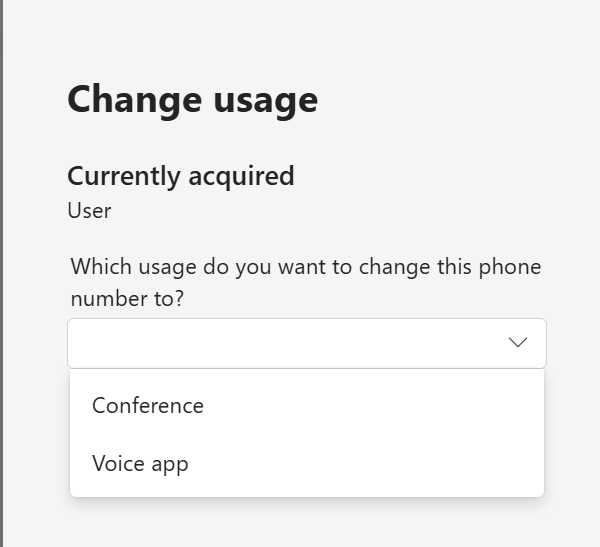
I appreciate that the current usage of the number doesn’t appear in the drop-down. If you’re in a hurry to get your organization’s main number converted to voice app and assigned to the resource account for an auto attendant, it’s nice to have it a little more fool proof.
Once your port request order is approved, you should see your numbers available in TAC, despite them still “belonging” to the current/old/losing carrier. This is typically days before the actual port. At this point, you are able to change number usage and assign the numbers. In most cases, you’ll be able to call out from those numbers and to call them internally. You won’t yet be able to receive calls from outside your organization as those will still be routed to the losing carrier. It’s worthwhile to change number usages at this point, to reduce the amount of activity you have to do at port time.
If you are using Direct Routing, you do not need to worry about this setting.

