
It took me more than a few minutes to come up with that title, and I still don’t think it says what I want it to. Hopefully search engines piece things together for everyone!
A new feature has snuck out to the Microsoft 365 Admin Center. It’s not a big one, but it sure is a useful one. If you add a Calling Plan license to a user, you will now have the ability to assign a phone number to that user, right in M365 Admin Center.
You can also acquire a new number if you need to, and further, you can create a new emergency address if this is the first number for a location.
This is awesome, I think it cuts out a couple thousand mouse clicks through Teams Admin Center to accomplish the same task. It’s even better when licensing multiple users.
Here’s this new feature in action. In this scenario, I need a phone number for a new location so I need to also create a new emergency address.
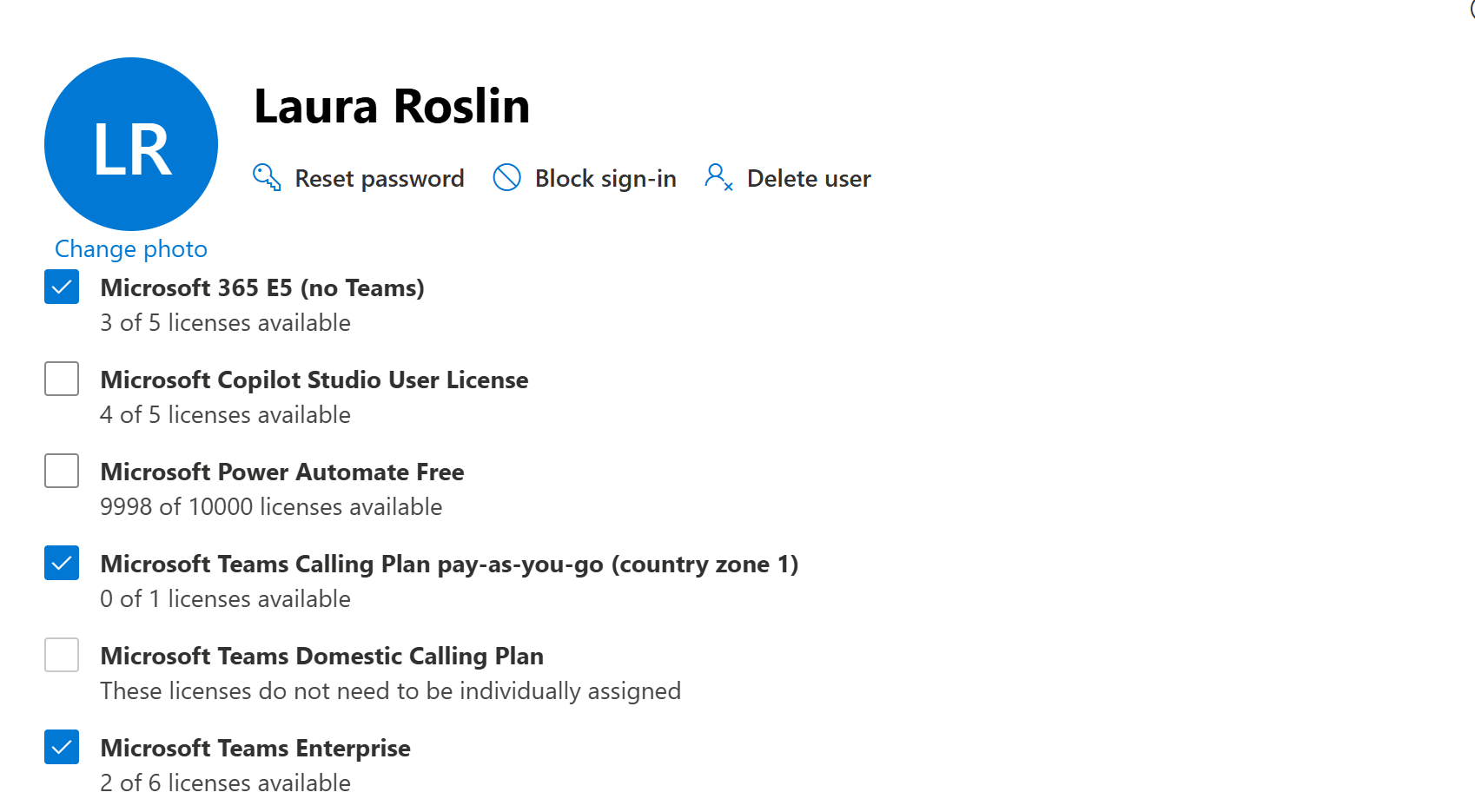
The first step is to license the user. In this case, adding a PAYG Calling Plan:
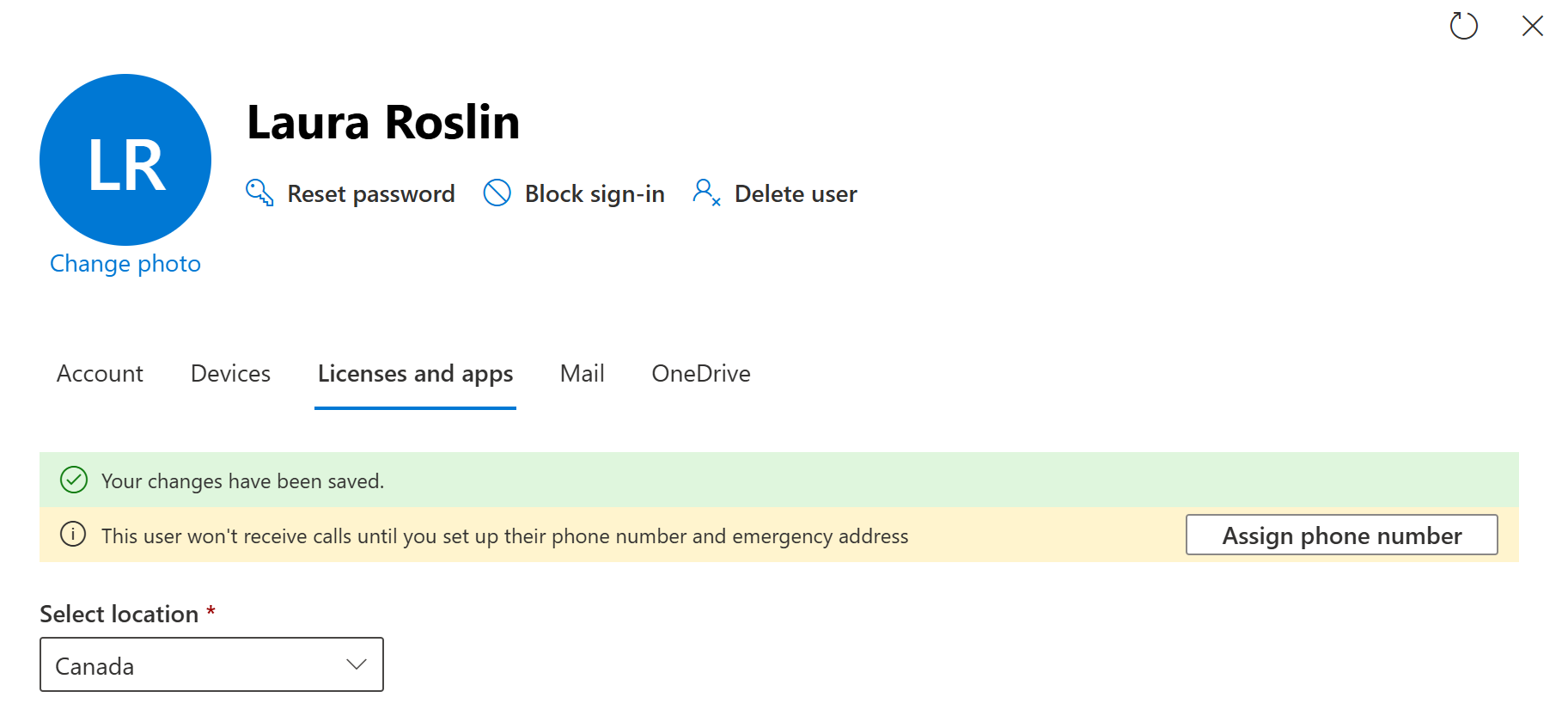
Once that’s done, we get a yellow caution bar advising that they can’t yet make or receive calls. I wish the button on the right used the same language as the text “set up their phone number” vs “assign their phone number”. In any case, click the “Assign phone number” button.
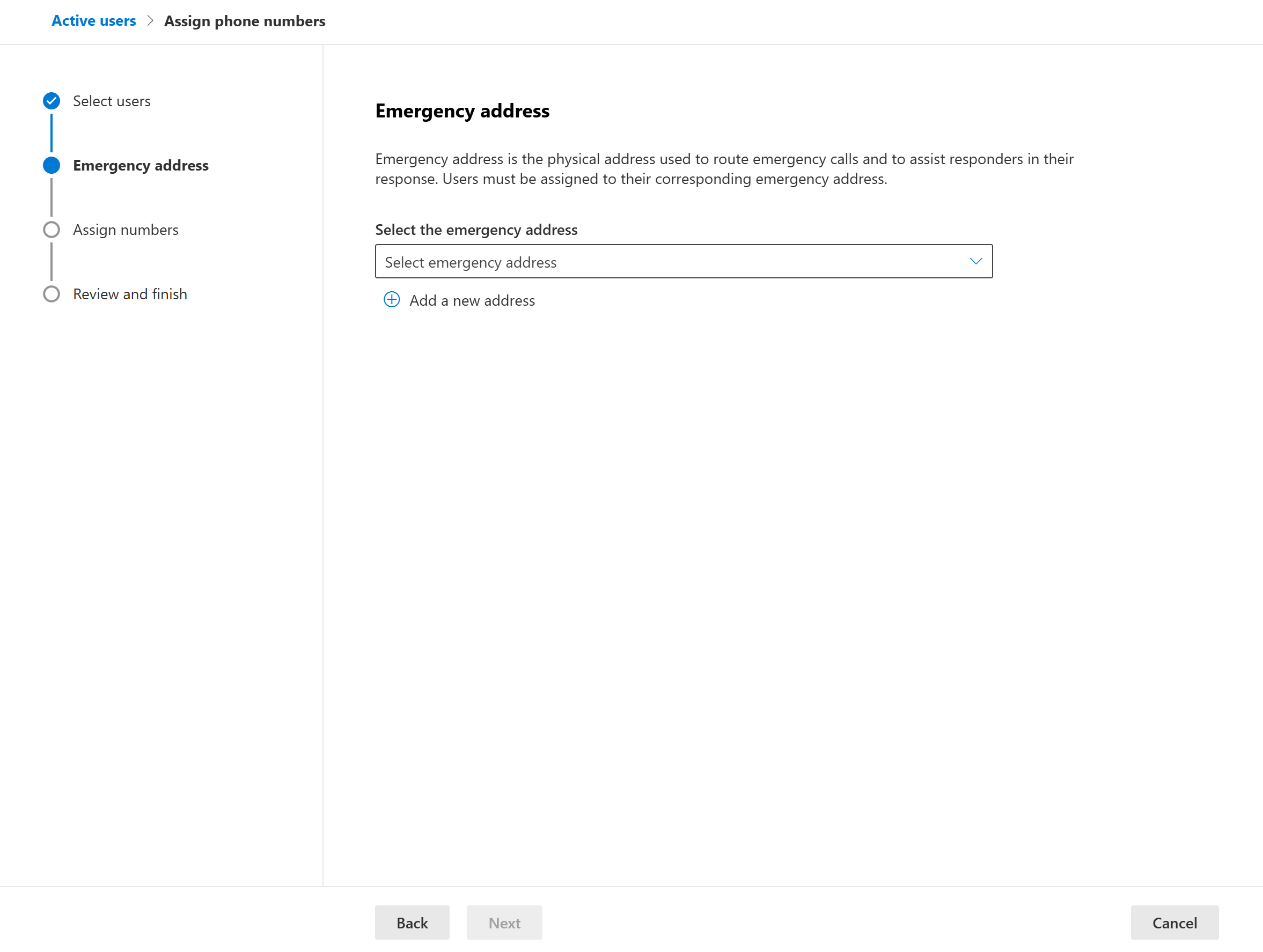
Now we can either select an existing emergency address using the drop down, or we can select Add a new address. Let’s add a new one.
First, let’s clear up what an emergency address is. It’s really two things here.
One, Microsoft is you phone company, and it’s a requirement that every number have a static “emergency address”, sometimes referred to as a “service address”. This is not the address that the bill is sent to, aka the billing address. And of course, Teams is capable of dynamic emergency calling, where the location of the device placing the emergency call is reported instead of this static address.
Two, Microsoft needs to know what area code and city to select phone numbers from, either numbers that you already have or new numbers.
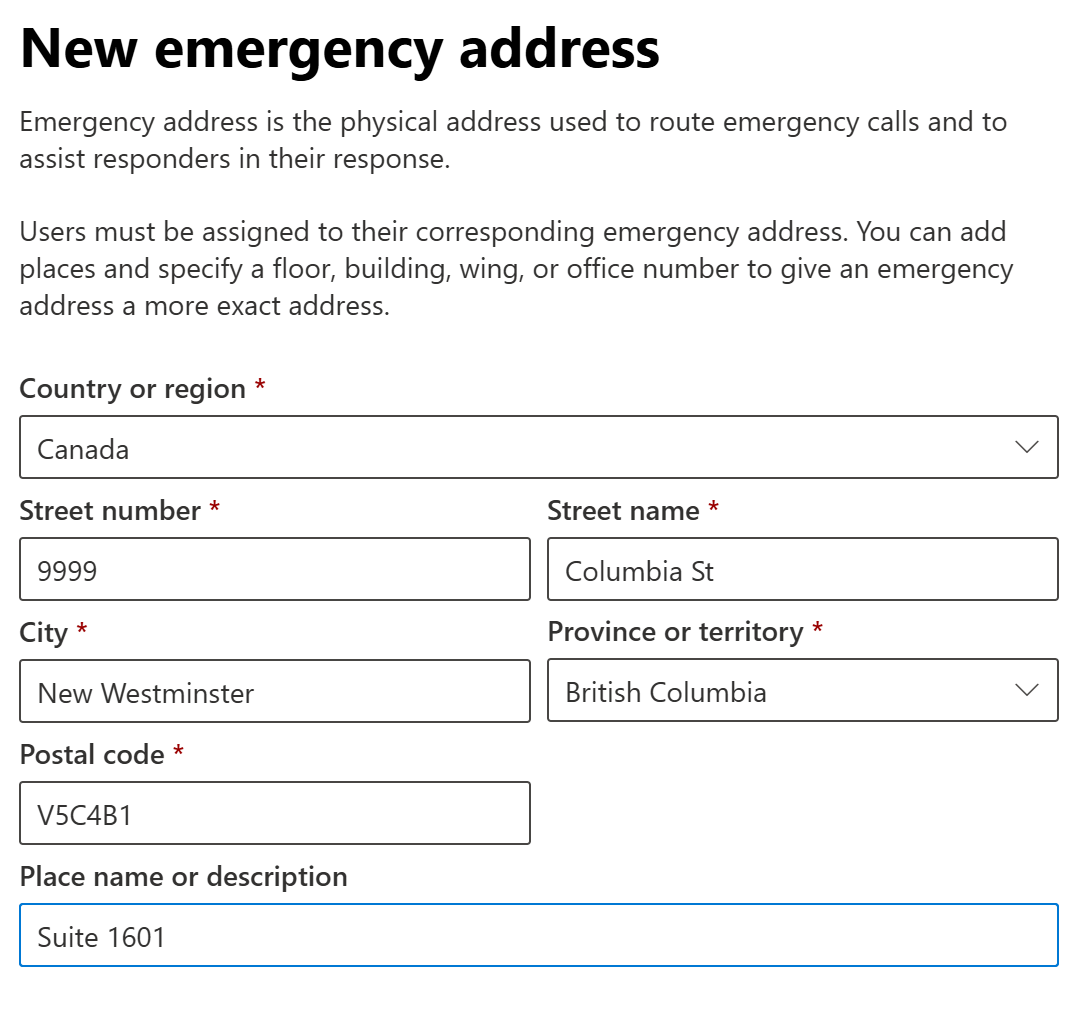
Here are the fields that you need to complete, and one optional field.
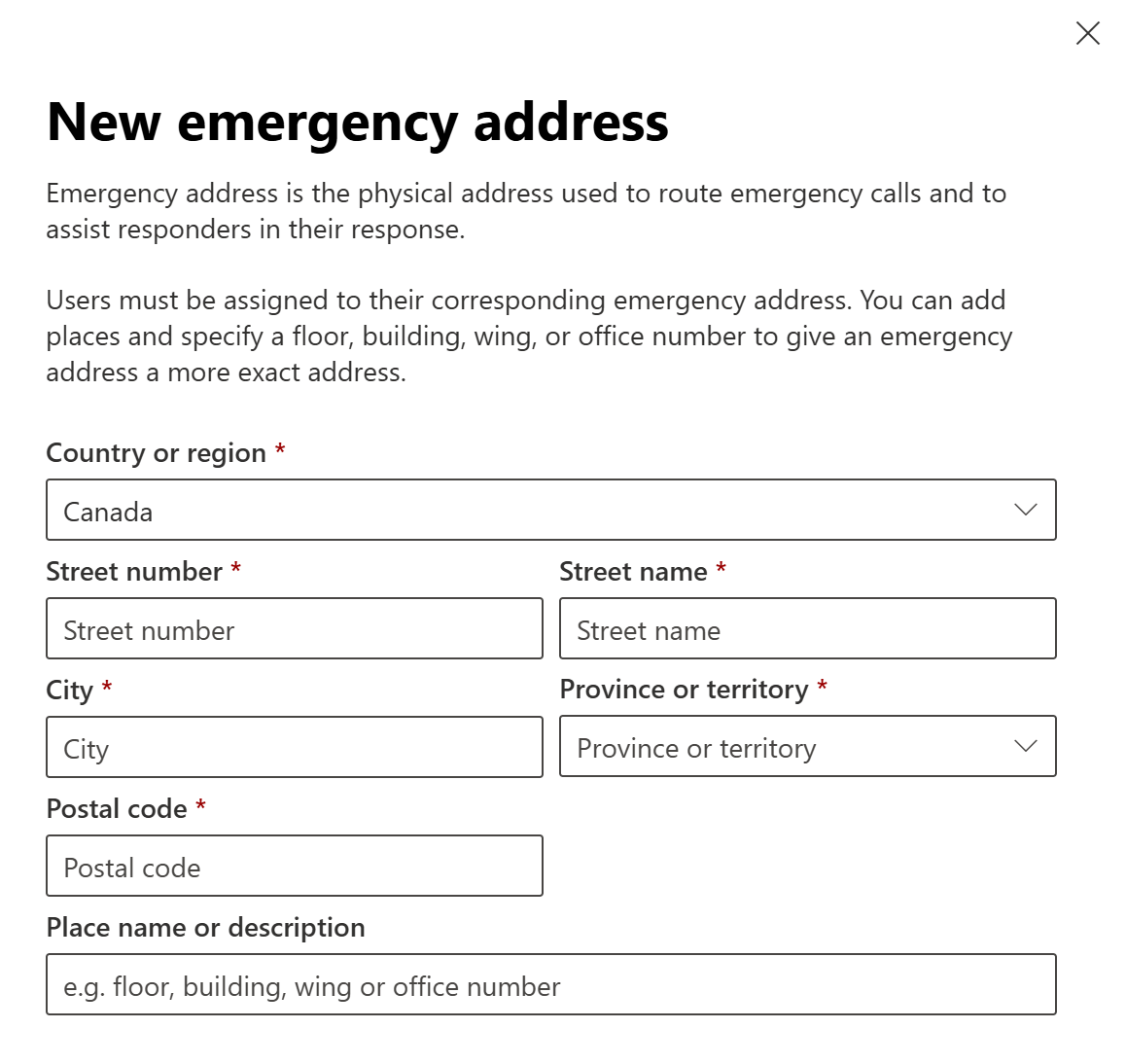
The “Place name or description” isn’t very well described here. Typically this would be a suite or unit number, such as “Suite 1601”. It could also be something like “Council Chambers” or “Electrical room”. It’s the “dispatchable location” that tells the emergency services where to go once they’ve pulled up to the front door. You should only leave this blank if the address provides all of the details needed to reach the location of the caller, such as a small building with just one company in it.
Like this:
Now you need to add the latitude and longitude. This help remove ambiguous things that come up with addresses, like “1501 West Street, North East Edmonton”.
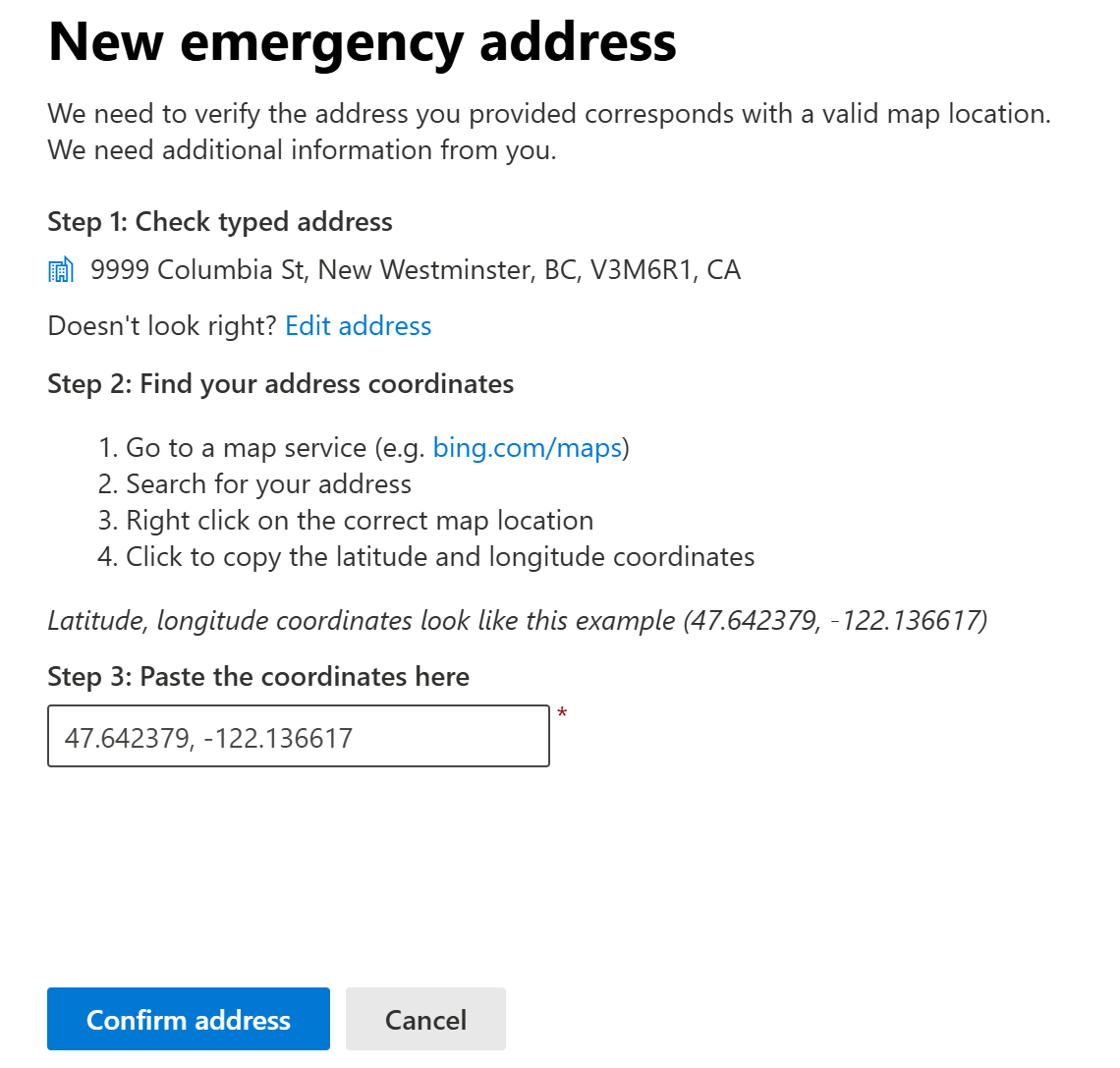
Click Confirm address and then review everything on the next screen. Now you’re offered a phone number to assign to the user. My tenant didn’t have any numbers from that location, so Microsoft is offering one here, they’d held it for 15 minutes. Note that you don’t get to pick your number from Microsoft. If you really, truly need a certain number, your best bet is to acquire it through an existing telco – possibly a mobile provider – and then port it to Microsoft. (But honestly, that’s pretty 1998, isn’t it?)
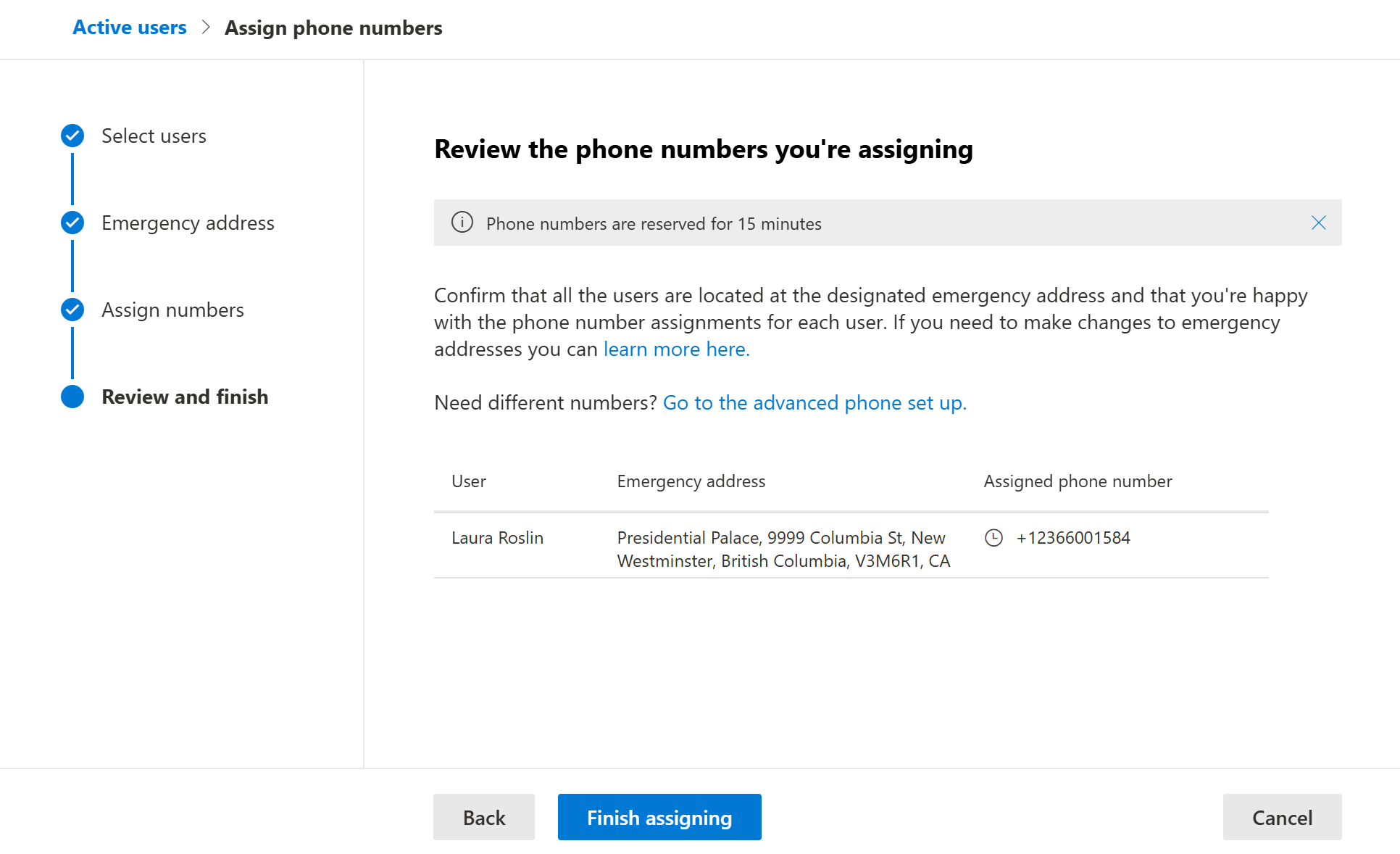
Hit Finish assigning, and you’re done!
Here’s something to watch for with the process of creating a new Emergency address in this process. If you look at the address in Teams Admin Center after it’s created, you’ll see this:
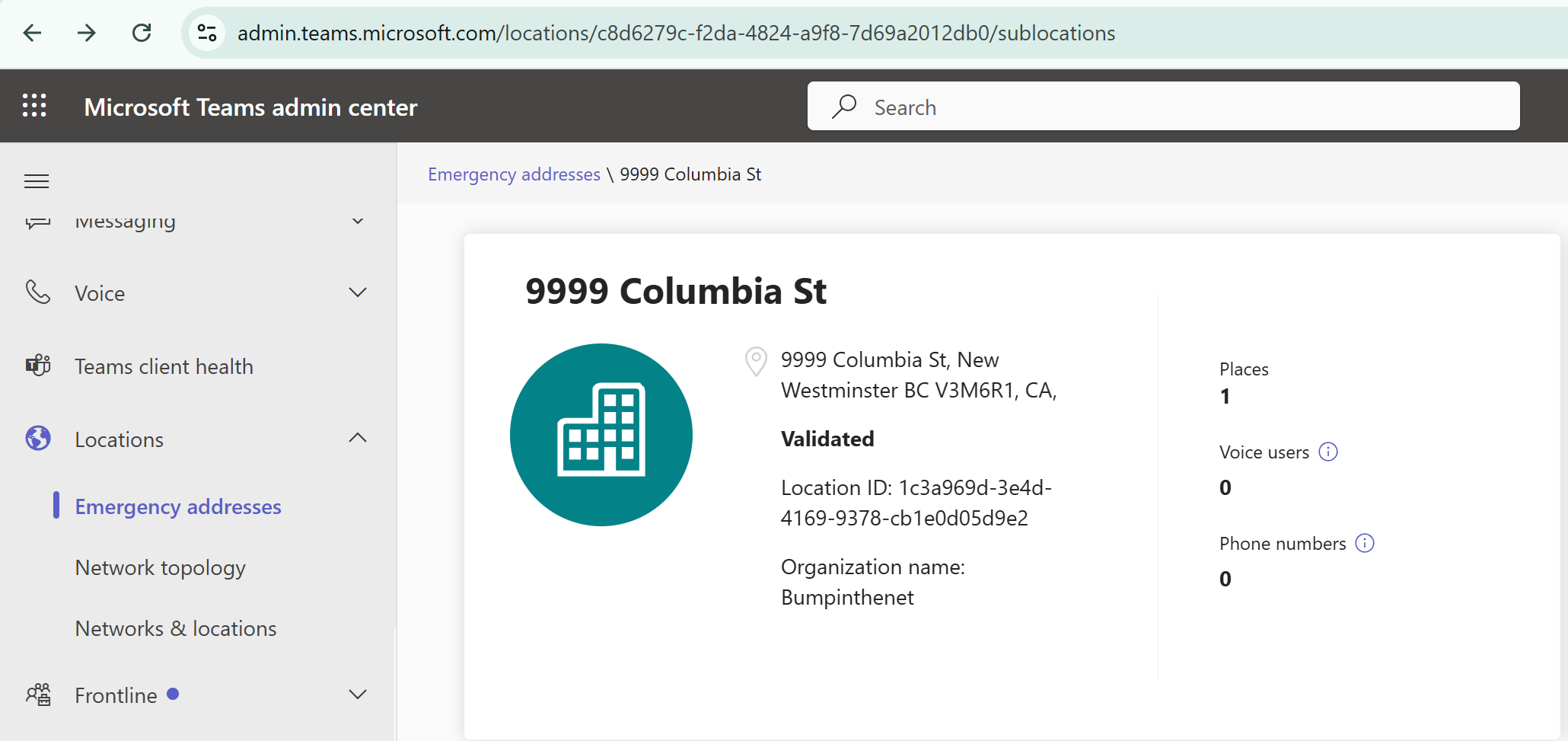
Notice the organization name. It’s important here as it is included as part of the address information provided to first responders. My recommendation is that the “Organization name” here reflect what on your signage. “Tom’s Towing” is good, “81563534 Canada Ltd” is not so useful.
In this case, it’s picked my tenant name and all is well. However, if you organization has a tenant name that doesn’t reflect your organization’s name, you’ll need to head to PowerShell and change that. For example, I’ve seen things like “TimsTrucks” as an tenant name, but the organization is now “Smith Logistics”.
And lastly, if you’re the person in charge of your emergency addresses, you’ll want to keep an eye out for new ones popping up. Do some periodic cleanup to get rid of incorrect or unused addresses. Do some investigation and find out why 9999 Columbia Street showed up, when that’s actually not the address of your buiding in that city.

