There are a number of use cases for an organization to want to permanently forward calls to a Teams number, to a number outside of Teams. It could be that a function that used to be internal is now external, and there’s a desire not to change the number. An HR benefits hotline is one use I’ve see for this.
Your carrier may be able to setup a permanent forward for you, or if you’re using Direct Routing you may be able to setup the forward on an SBC. If you’re on Operator Connect your carrier may not offer this, and Microsoft does not offer it with Calling Plans. Additionally, these forwarding options would not have an object in the Teams directory that could be searched by name.
You could setup call forward settings in a Teams client, with the number assigned to the Teams user. That requires licensing, which may not be acceptable.
A free solution is to use a Call Queue or an Auto Attendant. The phone number gets associated with the Resource Account, which also populates in the Teams directory to allow dial by name. The Call Queue doesn’t need agents, and the exception handing is set to forward the call to an external number. Auto Attendants have an immediate forward option, which is a little cleaner (and more obvious when you’re viewing the configuration). I like Auto Attendants here for the ability to set up different destinations based on business/after-hours/holiday settings for those scenarios where this could be useful.
In both Auto Attendants and Call Queues, a greeting can be played before the message is forwarded.
You would create a Resource Account like this:

And then from M365 Admin Center add the free Resource Account license. Then grab a coffee (it can take a few minutes for the license application to take effect and show in Teams) come back to Teams Admin Center and select the Resource Account and assign the phone number.
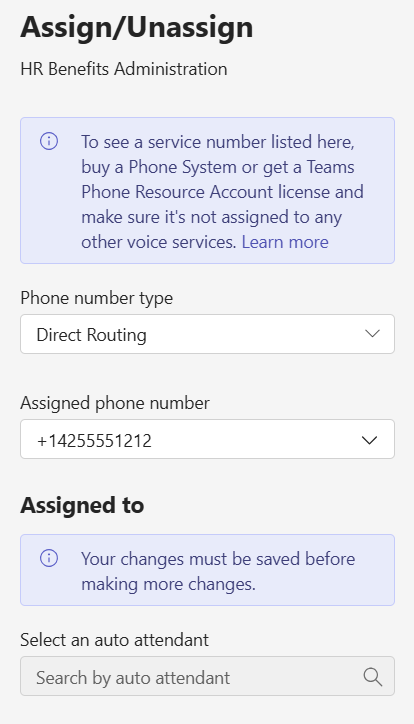
The “Assigned to” part being blank is okay, we haven’t created our Auto Attendant yet. Let’s do that now and setup the call flow:

(and under Resource accounts, we can hook the Auto Attendant to the Resource Account we created).
Now calls to +1 425 555 1212 will be automatically forwarded to +1 425 867 5309. Additionally, internal calls by looking up HR Benefits Administration by name are possible:
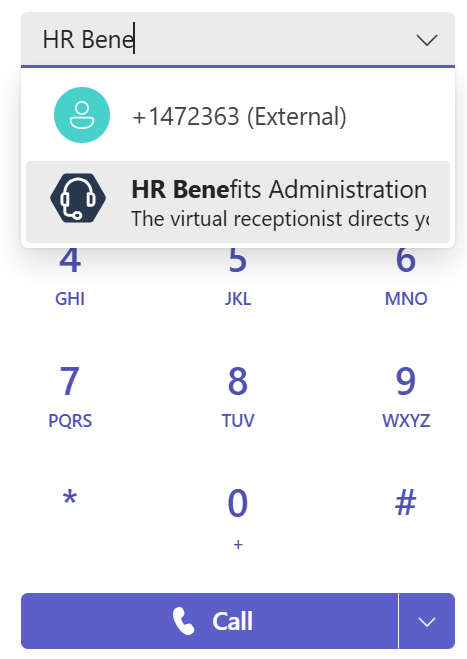
and these will hit the Auto Attendant and be forwarded to +1 425 867 5309
 Bump in the net